
utilitiesv1.2.49
Database Manager
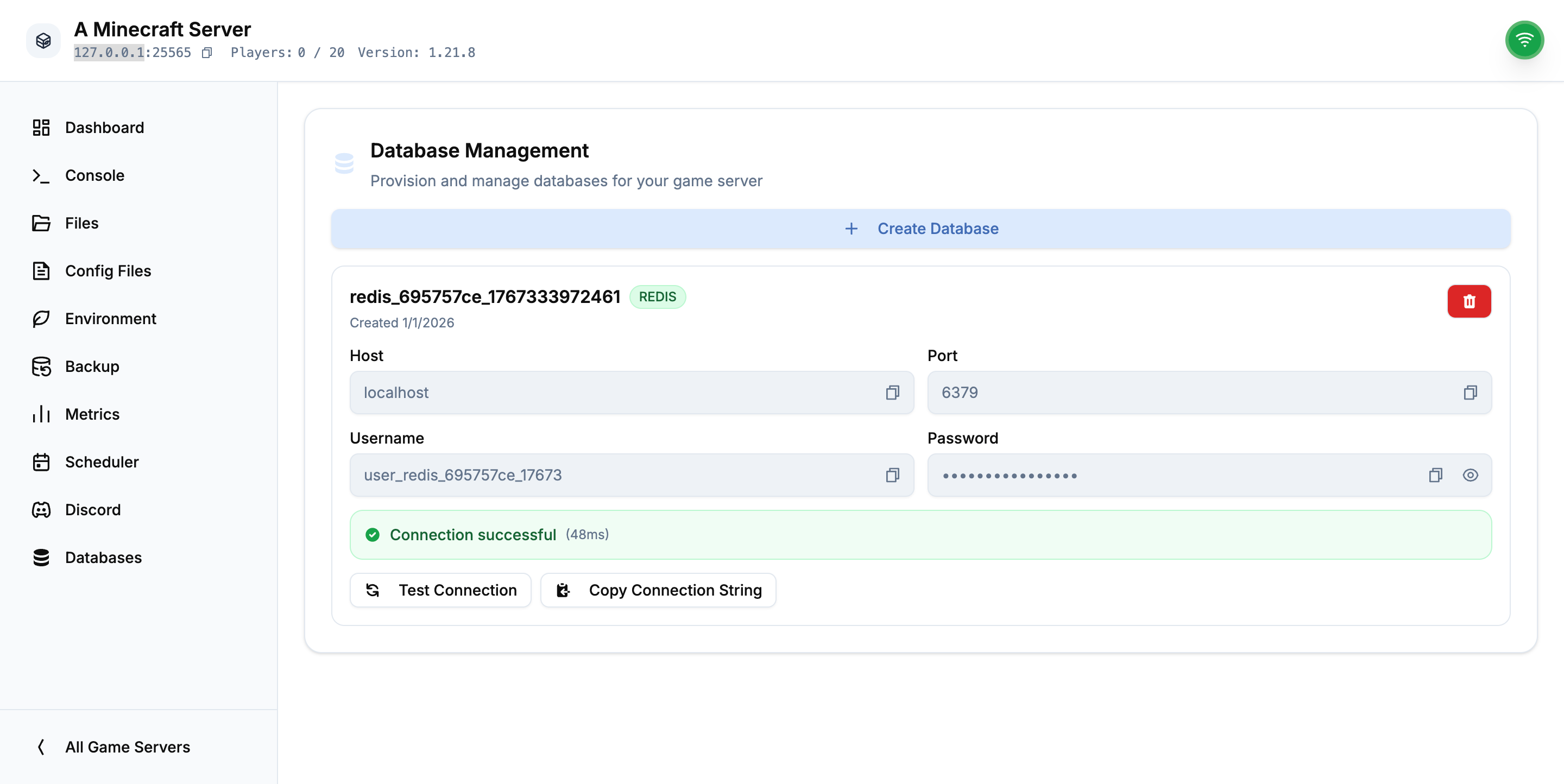
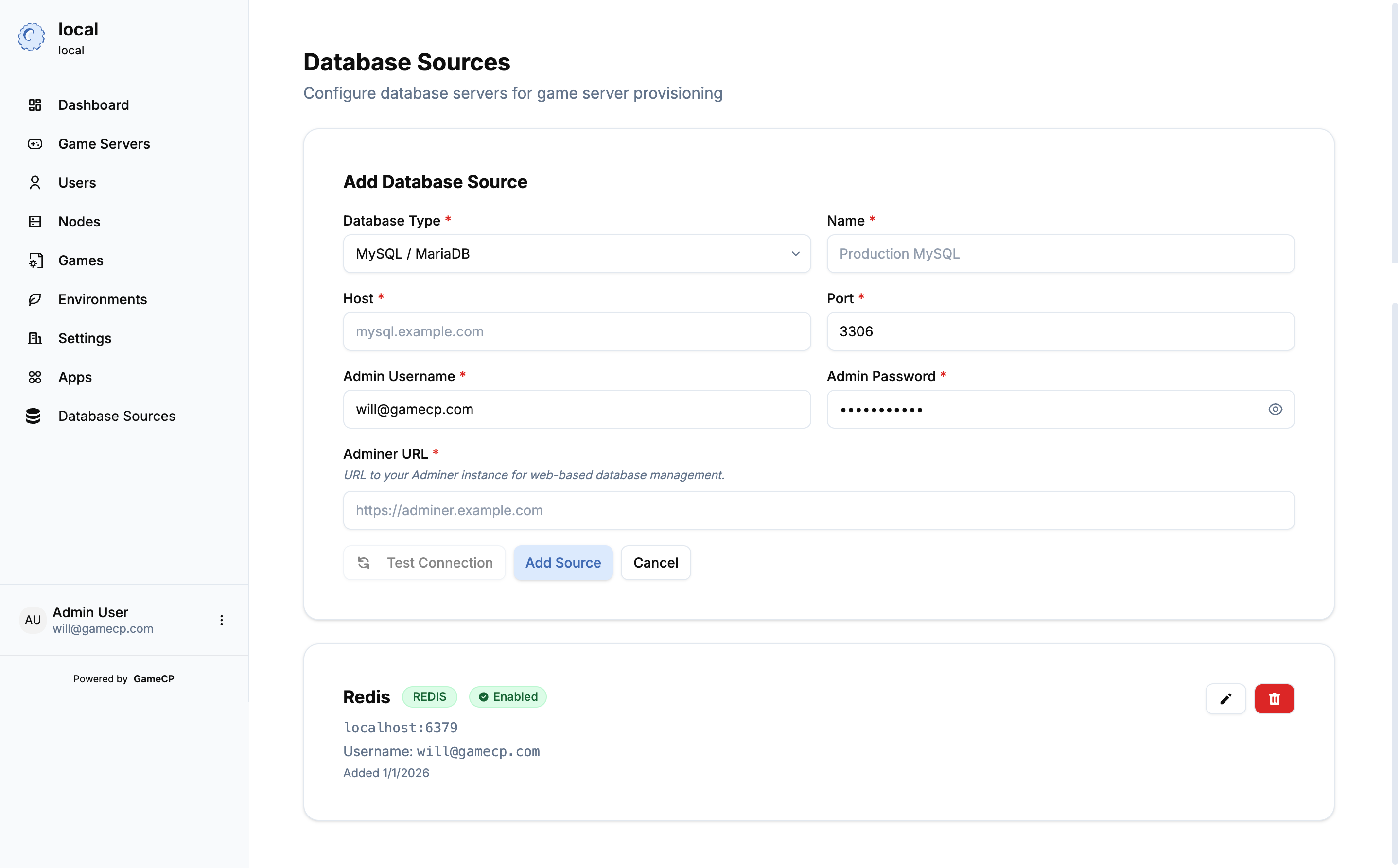
Provision and manage databases for your game servers. Supports MySQL, PostgreSQL, Redis, and more.
5.0(1 reviews)
23installs
Gallery & Previews
Click to enlarge
Click to enlarge
Click to enlarge
Extension Documentation
Database Manager
Automatically provision and manage databases for your game servers. No technical knowledge required - just click, create, and connect.
What You Get
- Instant Database Creation: Create MySQL, PostgreSQL, Redis, or MongoDB databases with one click
- Automatic Setup: Unique credentials generated automatically - no configuration needed
- Easy Access: Copy connection details or open the web-based database manager directly
- Secure by Default: Each database gets its own isolated credentials for maximum security
How It Works
For Your Game Servers
- Open any game server in your panel
- Click the "Databases" tab in the sidebar
- Click "Create Database" and select a database type
- Done! Your database is ready to use
Connection details are displayed immediately - just copy and paste them into your game server configuration.
Managing Your Databases
- View Connection Info: Host, port, username, password, and database name
- Open Database Manager: Click "Open Manager" to access a web interface for managing your data
- Delete When Done: Remove databases you no longer need with one click
Perfect For
- Minecraft Servers: Store player data, economy systems, and plugin configurations
- ARK Servers: Save mod data and custom configurations
- Rust Servers: Keep oxide plugin data persistent
- Any Game: If your game or mods need a database, this extension has you covered
What Database Types Are Available?
- MySQL: The most common choice for game servers and plugins
- PostgreSQL: Advanced features for complex data needs
- Redis: Lightning-fast in-memory storage for caching and real-time data
- MongoDB: Flexible document storage for dynamic data structures
Security & Reliability
- Every database gets unique, randomly-generated credentials
- You can only access databases you created
- Databases persist even if you restart your game server
- Admin-managed database servers ensure reliability and performance
Technical Profile
Technical ID
database-manager
Publish Date
1/2/2026
Manifested Permissions
network.outbound